Retailers have spent a century making catalogs that sell you things. This prompt makes one that works for you. Tell your AI tool what you're thinking about buying, and it comes back with a short catalog built around one decision: a verdict on page one, your options ranked, the fine print flagged, and what to do next. Costs nothing, works in any AI tool.
What you get
A catalog with exactly one customer.
It's the thing you want in hand before a big purchase, or before you pitch one at the kitchen table. Short enough to read standing up, built on your budget and your dealbreakers, and written for whoever has to say yes. It comes in four parts.
The verdict
Page one says what to pick and why, in two sentences. Nobody has to read to the back to find out how it ends.
The options, ranked
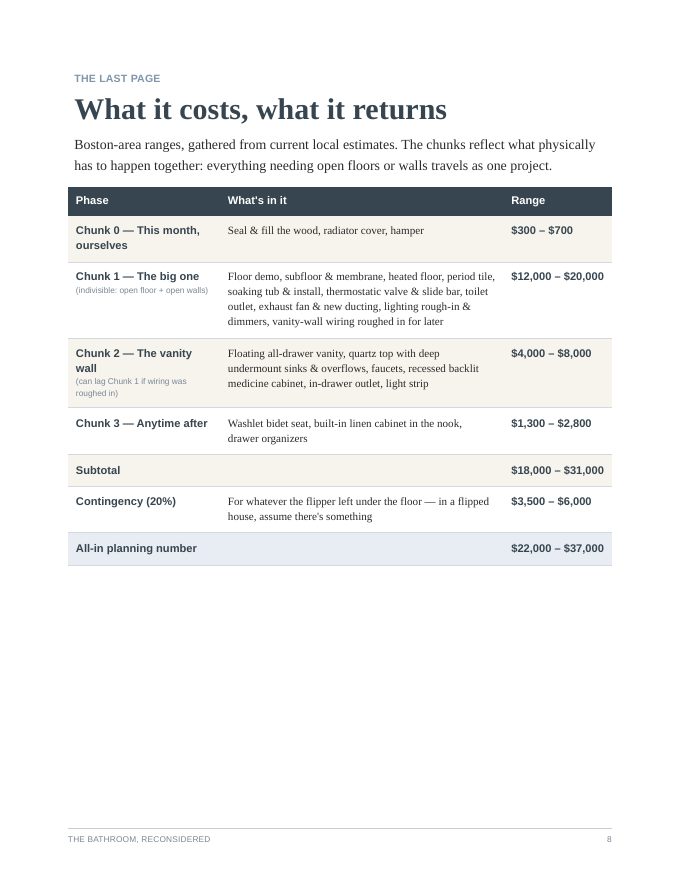
Every contender lined up by the one number that matters most for you, with the math shown.
Why it's worth it
The case for saying yes, with the fine print that could bite you flagged and your own photos doing some of the arguing.
The next steps
A checklist, in order, so the decision turns into an errand.
Where this came from
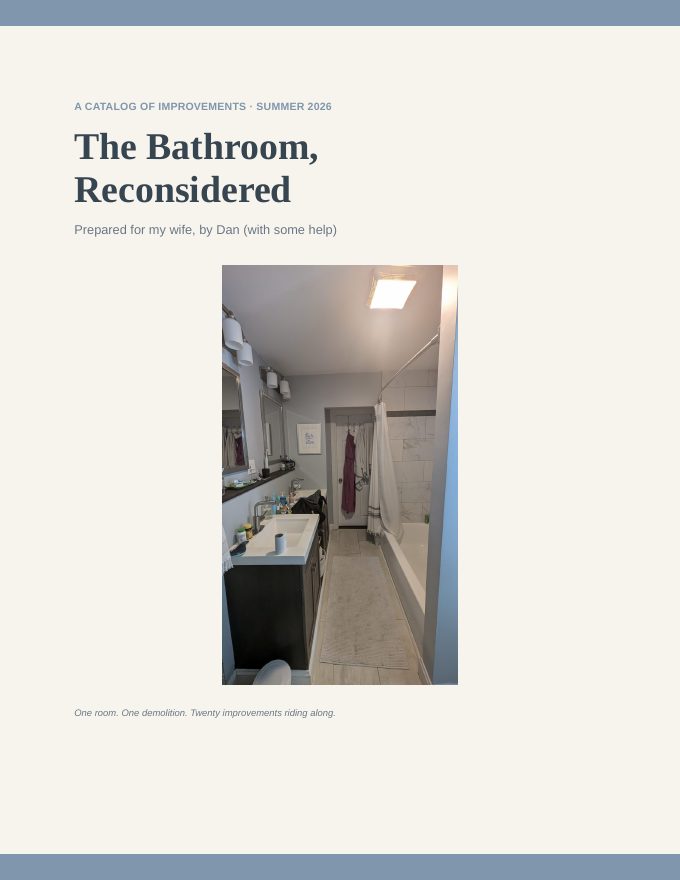
I made my wife a catalog.
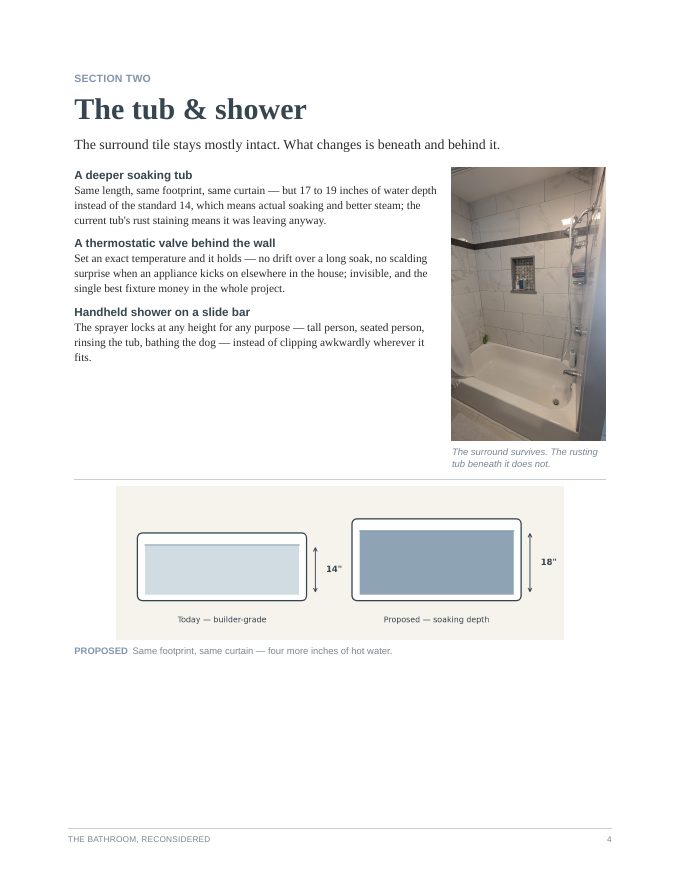
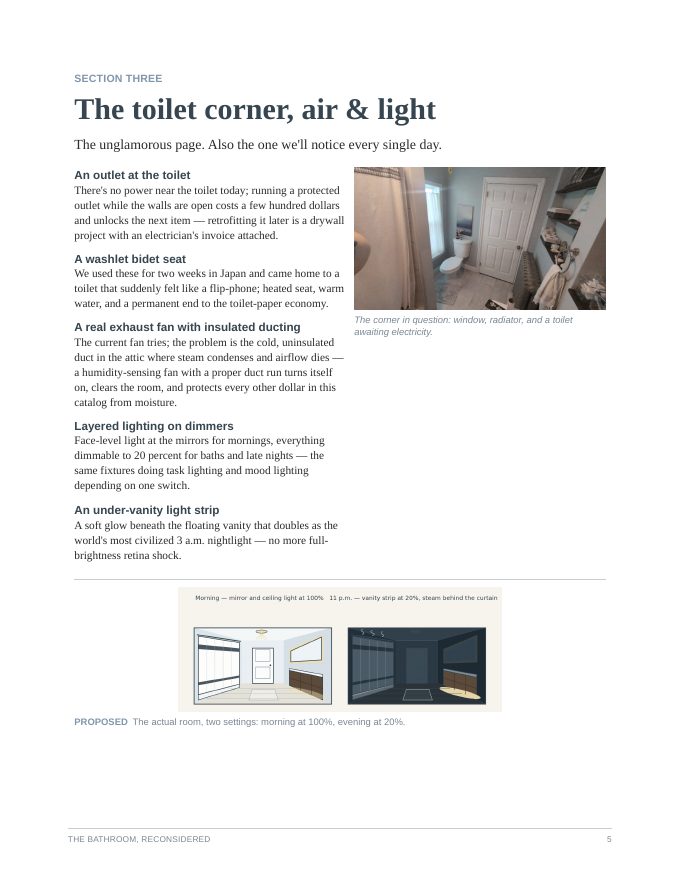
Our bathroom floor had to come up, and I had a list of upgrades I wanted to ride along with the repair. So before that conversation at home, I had AI help me build a seven-page catalog, with photos of our actual bathroom, a diagram of the deeper tub, and a page titled "The unglamorous page." The heated floor made the cut.
Then I did it again for a phone upgrade. I gave AI my real constraints, asked it to rank every deal by one number, and fed it screenshots every time an offer changed. The final version found a better deal sitting in my own account than anything in the ads.
The prompt below is both of those, boiled down.
How to use it
Three moves.
Copy the master prompt and fill in the brackets. Rough answers are fine. It will ask you about anything important you missed.
Feed it reality. Photos of the thing you're replacing, screenshots of the deal you're looking at, your actual budget.
Ask for the catalog. Then use the follow-up prompt every time something changes.
Master prompt
You are my personal shopper. You work for me, not the store. Your job is to help me make one good decision and feel great about it.

ABOUT THE PURCHASE
What I'm thinking about buying (or the project I need to pitch): [ ]
What I have now: [ ] (I'll attach photos if I can)
What it has to do for me: [ ]
Dealbreakers: [ ]
Budget: [ ]
Deadline: [ ]
Who else has to say yes: [ ]

YOUR PROCESS
1. Research current prices, deals, and specs. Label every claim Confirmed (an official source, or several independent sources agree) or Rumor (one blog, one thread). If you can't verify something, say so instead of guessing.
2. Pick the one number that matters most for my situation (like total cost over three years, or cost per use) and rank every option by it. Show your math.
3. Tell me what you'd pick and why, in two sentences.
4. Flag the fine print that could bite me: return windows, lock-ins, subscriptions, hidden fees.

THE CATALOG
Turn all of it into a short, good-looking catalog written for whoever has to say yes:
- Page one: the verdict
- Then: the options, ranked
- Then: why it's worth it (use my photos where they help)
- Last: a checklist of next steps, in order
Make it something I'd be proud to leave on the kitchen table.

Before you start, ask me up to three questions if anything important is missing.
When something changes
Here's what I'm actually seeing now: [screenshot of my cart / my account / the store]. Update the catalog. Tell me what changed and whether your verdict still holds.
Not sure where to start?
Start with one of these.
Each button copies the master prompt with the first few brackets already filled in. Swap in your details and go.
The phone upgrade
Buying
A new phone to replace a three-year-old one in great shape
Has to do
Heavy hotspot use for work; the most storage I can get without paying for it twice
Who says yes
Just me
The home project pitch
Buying
Upgrades to ride along with a bathroom floor repair we can't avoid
Has to do
Make the room better to live in every day without changing the layout
Who says yes
My partner
The impossible gift
Buying
A gift for my dad, who says he wants nothing and owns everything
Budget
$150
Who says yes
Just me (and my dad's face when he opens it)
The work tool
Buying
A $40/month AI tool for my team
Has to do
Save each of us at least an hour a week
Who says yes
My boss
The talk-me-out-of-it
Buying
A $2,000 espresso machine I've been staring at for months
Has to do
Earn its counter space. Be ready to tell me not to buy it.
Who says yes
Me, on a good day
Made one?
Bring it to the meetup.
Show Me Something Cool With AI is a monthly hangout where people show what they made with AI and steal good ideas from each other. Bring your catalog, the prompt you used, or the story of the purchase it talked you out of. Half-finished counts.